MuleSoft Connector🔌 Playground
home
Once Registered, jump into the App here: MuleSoft Connector Playground 🚀
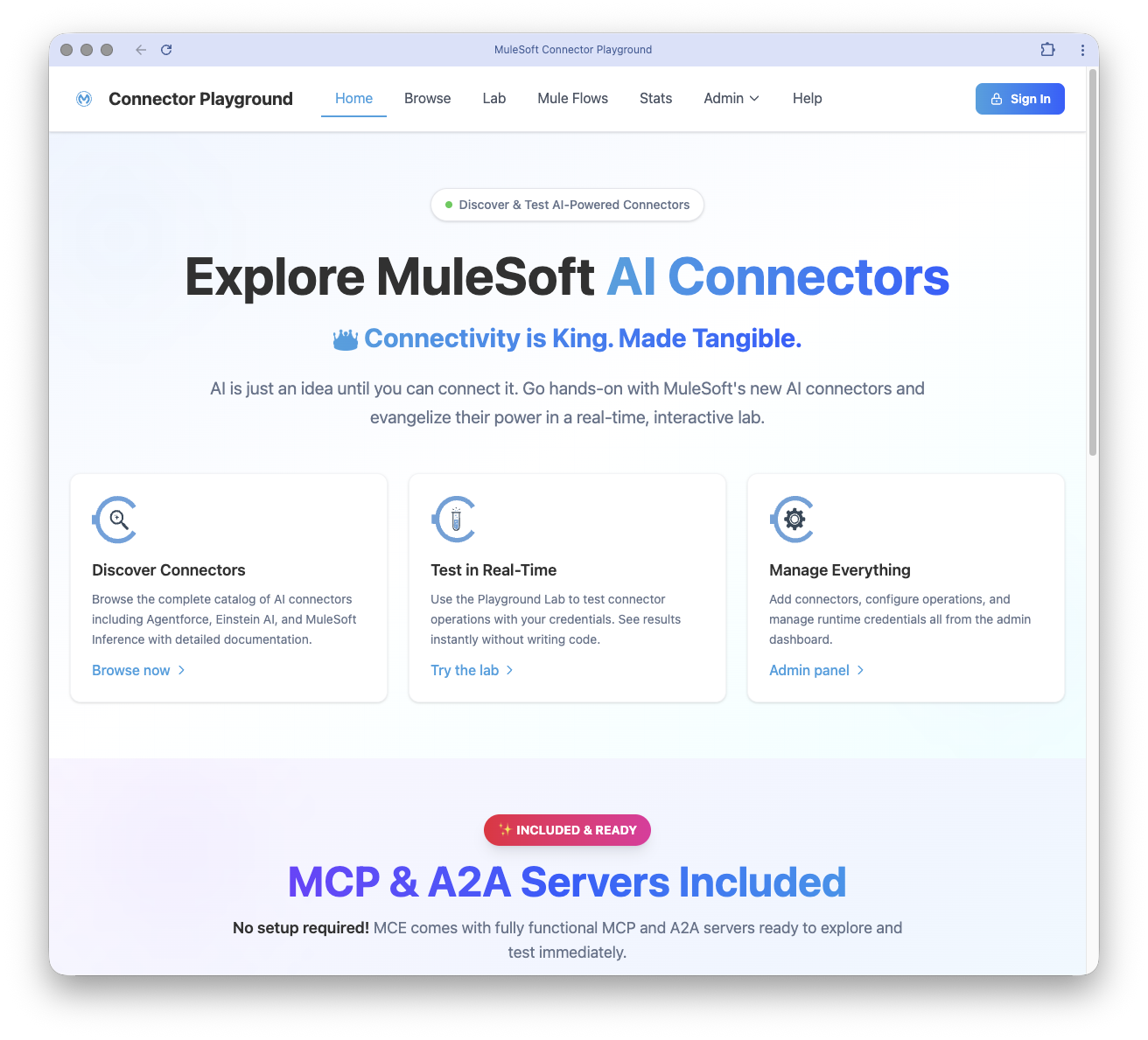
Overview and Purpose of the API
The MuleSoft Connector Playground API is a runtime API designed for exploring and executing MuleSoft Connectors through a web interface. It provides a comprehensive platform for:
- Connector Discovery: Browse available connectors, operations, and parameters.
- Configuration Management: Create and manage runtime configurations for connectors.
- Connector Execution: Execute connector operations with dynamic parameters.
- Metadata Access: Retrieve configuration types and providers for UI form generation.
This API is designed to serve a Vue.js frontend and supports deployment on both CloudHub and Local Development Environments.
Authentication Requirements and Security Details
The API supports the following authentication mechanisms:
Basic Authentication:
- Used for securing endpoints with client ID enforcement.
- Reference: Basic Authentication.
Reset Token:
- Required for destructive operations like database reset.
- Header:
X-Reset-Token.
Base URL and Environments
Base URL
- Local Development:
http://localhost:8081 - CloudHub Deployment:
https://{app-name}.cloudhub.io
Environment Variables
- app-name: The name of the CloudHub application. Default:
mulesoft-connector-playground.
Detailed Endpoint Documentation
1. List All Connectors
GET /connectors
Description
Retrieves a list of all connectors in the system with optional filtering by activation status.
Query Parameters
| Parameter | Type | Required | Description |
|---|---|---|---|
| filter | string | No | Filter connectors by activation status (all, active, inactive). Default: all. |
Responses
- 200 OK: Successfully retrieved the list of connectors.
- Headers:
X-Total-Count: Total number of connectors returned.
- Body (application/json):[{"id": 1,"mavenArtifactId": "example-connector","name": "Example Connector","version": "1.0.0","category": "AI","description": "A sample connector","docUrl": "https://example.com/docs","icon": "https://example.com/icon.png","isActive": true,"operationCount": 5,"createdAt": "2023-01-01T00:00:00Z","updatedAt": "2023-01-02T00:00:00Z"}]
- Headers:
- 400 Bad Request: Invalid query parameter value.
- 500 Internal Server Error: Server error.

2. Create a New Connector
POST /connectors
Description
Creates a new connector in the catalog.
Request Body
| Field | Type | Required | Description |
|---|---|---|---|
| mavenArtifactId | string | Yes | Maven artifact ID of the connector. |
| name | string | Yes | Display name of the connector. |
| version | string | Yes | Connector version. |
| category | string | Yes | Connector category (AI, Database, etc.). |
| description | string | No | Brief description of the connector. |
| docUrl | string | No | URL to connector documentation. |
| icon | string | No | Icon filename or URL. |
| isActive | boolean | No | Whether the connector is active. Default: false. |
Example Request
{
  "mavenArtifactId": "example-connector",
  "name": "Example Connector",
  "version": "1.0.0",
  "category": "AI",
  "description": "A sample connector",
  "docUrl": "https://example.com/docs",
  "icon": "https://example.com/icon.png",
  "isActive": true
}
Responses
- 201 Created: Successfully created the connector.
- Headers:
Location: URL of the newly created connector.
- Body (application/json):{"id": 1,"mavenArtifactId": "example-connector","name": "Example Connector","version": "1.0.0","category": "AI","description": "A sample connector","docUrl": "https://example.com/docs","icon": "https://example.com/icon.png","isActive": true,"createdAt": "2023-01-01T00:00:00Z","updatedAt": "2023-01-01T00:00:00Z"}
- Headers:
- 400 Bad Request: Invalid request body.
- 409 Conflict: Resource conflict (e.g., duplicate name).
- 500 Internal Server Error: Server error.
3. Get Connector Details
GET /connectors/{connectorId}
Description
Retrieves complete details for a specific connector, including operations, parameters, configuration types, and providers.
Path Parameters
| Parameter | Type | Required | Description |
|---|---|---|---|
| connectorId | integer | Yes | Unique identifier of the connector. |
Responses
- 200 OK: Successfully retrieved connector details.
- Body (application/json):{"id": 1,"mavenArtifactId": "example-connector","name": "Example Connector","version": "1.0.0","category": "AI","description": "A sample connector","docUrl": "https://example.com/docs","icon": "https://example.com/icon.png","isActive": true,"operations": [{"id": 1,"operationKey": "example-operation","displayName": "Example Operation","description": "An example operation","category": "General","isActive": true}],"configTypes": [{"id": 1,"configTypeKey": "example-config","displayName": "Example Config","description": "An example configuration type"}]}
- 404 Not Found: Connector not found.
- 500 Internal Server Error: Server error.
4. Update Connector
PUT /connectors/{connectorId}
Description
Updates an existing connector's metadata (e.g., name, version, description). Can also activate/deactivate the connector.
Path Parameters
| Parameter | Type | Required | Description |
|---|---|---|---|
| connectorId | integer | Yes | Unique identifier of the connector. |
Request Body
| Field | Type | Required | Description |
|---|---|---|---|
| name | string | Yes | Display name of the connector. |
| version | string | Yes | Connector version. |
| category | string | Yes | Connector category (AI, Database, etc.). |
| description | string | No | Brief description of the connector. |
| docUrl | string | No | URL to connector documentation. |
| icon | string | No | Icon filename or URL. |
| isActive | boolean | No | Whether the connector is active. |
Example Request
{
  "name": "Updated Connector",
  "version": "1.1.0",
  "category": "AI",
  "description": "An updated connector",
  "docUrl": "https://example.com/docs",
  "icon": "https://example.com/icon.png",
  "isActive": true
}
Responses
- 200 OK: Successfully updated the connector.
- Body (application/json):{"id": 1,"mavenArtifactId": "example-connector","name": "Updated Connector","version": "1.1.0","category": "AI","description": "An updated connector","docUrl": "https://example.com/docs","icon": "https://example.com/icon.png","isActive": true,"createdAt": "2023-01-01T00:00:00Z","updatedAt": "2023-01-02T00:00:00Z"}
- 400 Bad Request: Invalid request body.
- 404 Not Found: Connector not found.
- 500 Internal Server Error: Server error.
5. Delete Connector
DELETE /connectors/{connectorId}
Description
Permanently deletes a connector and all associated operations, parameters, and configuration types. This operation cannot be undone.
Path Parameters
| Parameter | Type | Required | Description |
|---|---|---|---|
| connectorId | integer | Yes | Unique identifier of the connector. |
Responses
- 204 No Content: Successfully deleted the connector.
- 404 Not Found: Connector not found.
- 500 Internal Server Error: Server error.
Error Handling and Status Codes
The API adheres to RFC 9457 Problem Details for HTTP APIs for error responses. Common status codes include:
- 200 OK: Successful operation.
- 201 Created: Resource successfully created.
- 204 No Content: Resource successfully deleted.
- 400 Bad Request: Invalid request or query parameter.
- 404 Not Found: Resource not found.
- 409 Conflict: Resource conflict (e.g., duplicate name).
- 500 Internal Server Error: Unexpected server error.
Best Practices for Implementation
- Authentication: Use the appropriate authentication mechanism (
Basic AuthorReset Token) for secure access. - Error Handling: Implement robust error handling based on the provided status codes and error details.
- Pagination: Use pagination parameters (
limit,offset) for endpoints returning large datasets. - Validation: Ensure all required fields are provided in requests to avoid validation errors.
Sample Code Snippets
Example: Fetch All Connectors
const axios = require('axios');

async function fetchConnectors() {
  try {
    const response = await axios.get('http://localhost:8081/connectors', {
      params: { filter: 'active' },
      auth: { username: 'client_id', password: 'client_secret' }
    });
    console.log(response.data);
  } catch (error) {
    console.error(error.response.data);
  }
}

fetchConnectors();
Example: Create a Connector
const axios = require('axios');

async function createConnector() {
  try {
    const response = await axios.post(
      'http://localhost:8081/connectors',
      {
        mavenArtifactId: 'example-connector',
        name: 'Example Connector',
        version: '1.0.0',
        category: 'AI',
        description: 'A sample connector',
        isActive: true
      },
      {
        auth: { username: 'client_id', password: 'client_secret' }
      }
    );
    console.log(response.data);
  } catch (error) {
    console.error(error.response.data);
  }
}

createConnector();
This documentation provides a comprehensive guide to the MuleSoft Connector Playground API, ensuring developers can effectively integrate and utilize its features.